Subtitles done. The video never left.
Even if the video is long. Even if there are no subtitles yet: AI can make them from speech (Pro, first 7 days free).
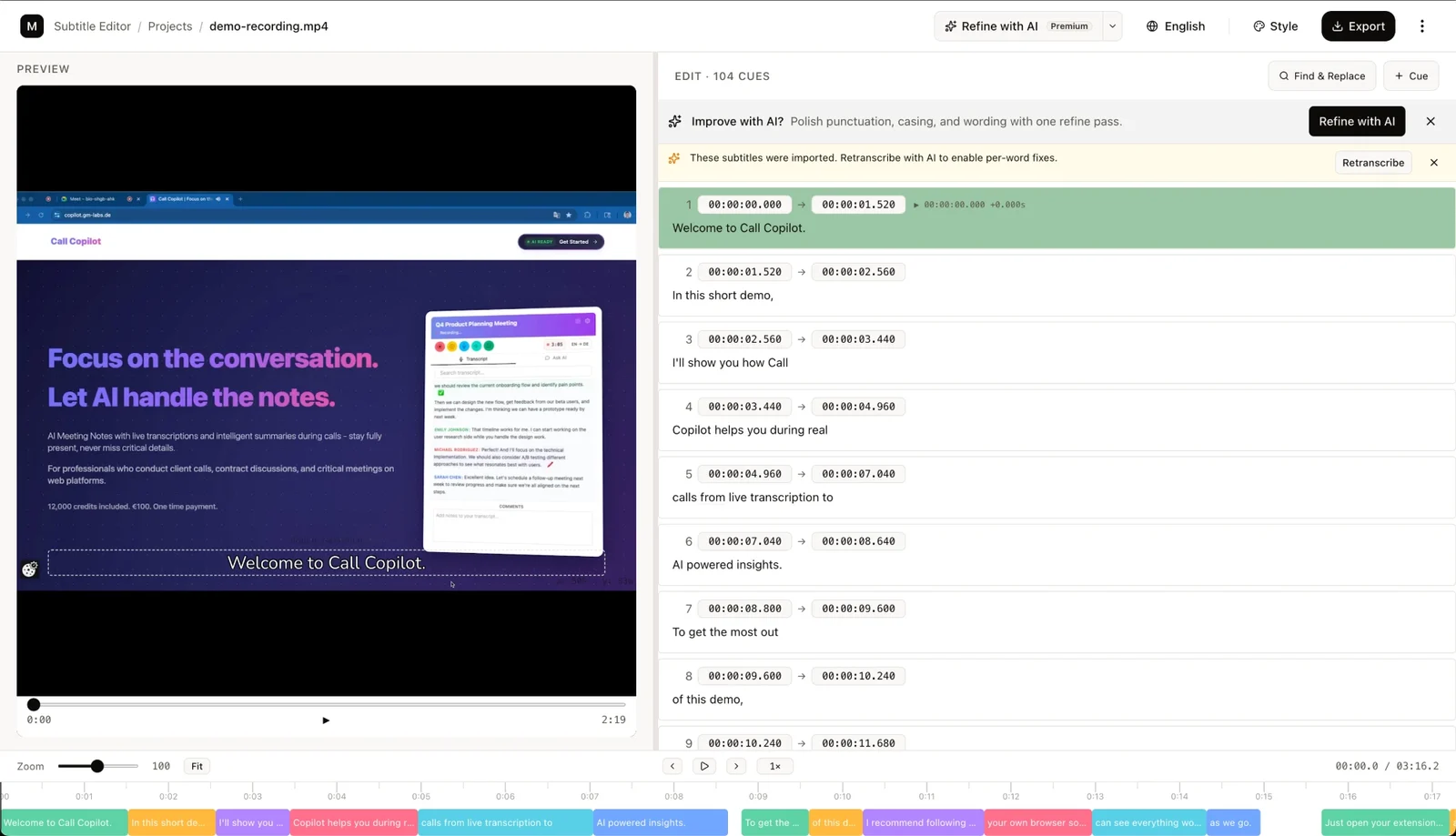
Online subtitle editors usually want your video on their server.
Upload, wait, a paywall before export. And desktop tools want an install and an evening to learn.
Sound familiar?
Who it suits
This is for you if…
- You fix auto-captions before publishing
- You would rather not upload your video to someone else's server
- You make subtitles in several languages
- You want to burn subtitles into a video without installing anything
This is not for you if…
- A team works on one file in the cloud — veed.io and Kapwing are built for that
- You need video editing, not subtitles
Why give it a try?
The video never leaves your device
The file opens straight from disk, and the subtitles are burned in inside your browser. Only what the AI needs goes to a server in the EU: audio for transcription, text for translation.
Editing and burn-in are free, no account
Timing, text, find and replace across every cue, style, burn-in, SRT and VTT export — one file per language.
Subtitles from speech when there are none yet
Deepgram transcribes the audio track with timing for every word. AI then tidies the punctuation and wording, or translates the track into another language. (Pro)
Two languages in one frame
When you burn in, add a second line in another language — above the main one or below it.
See the style right on the video
Font, size, colour, outline — on the frame, and burn-in comes out the same as the preview. Drag a subtitle onto the frame or snap it to a nine-zone grid.
Your project saves itself
Work is saved in the browser as you go and waits in your project list. On a computer the video is kept with it; on a phone you pick the video again when you reopen the project.
Four steps
The video stays with you. Pro is only for the AI.
Open a video
A file from your computer or your phone. Nothing is uploaded, and a long video opens too.
Load subtitles
SRT or VTT — or let AI transcribe them from speech (Pro).
Edit and style
Timing on the timeline, text alongside, position by dragging on the frame.
Export or burn in
SRT and VTT per language — or the finished video with subtitles. Burn-in runs in the browser; on a phone, the device's memory sets the limit.
What it looks like
Real screens from the editor, not mock-ups.
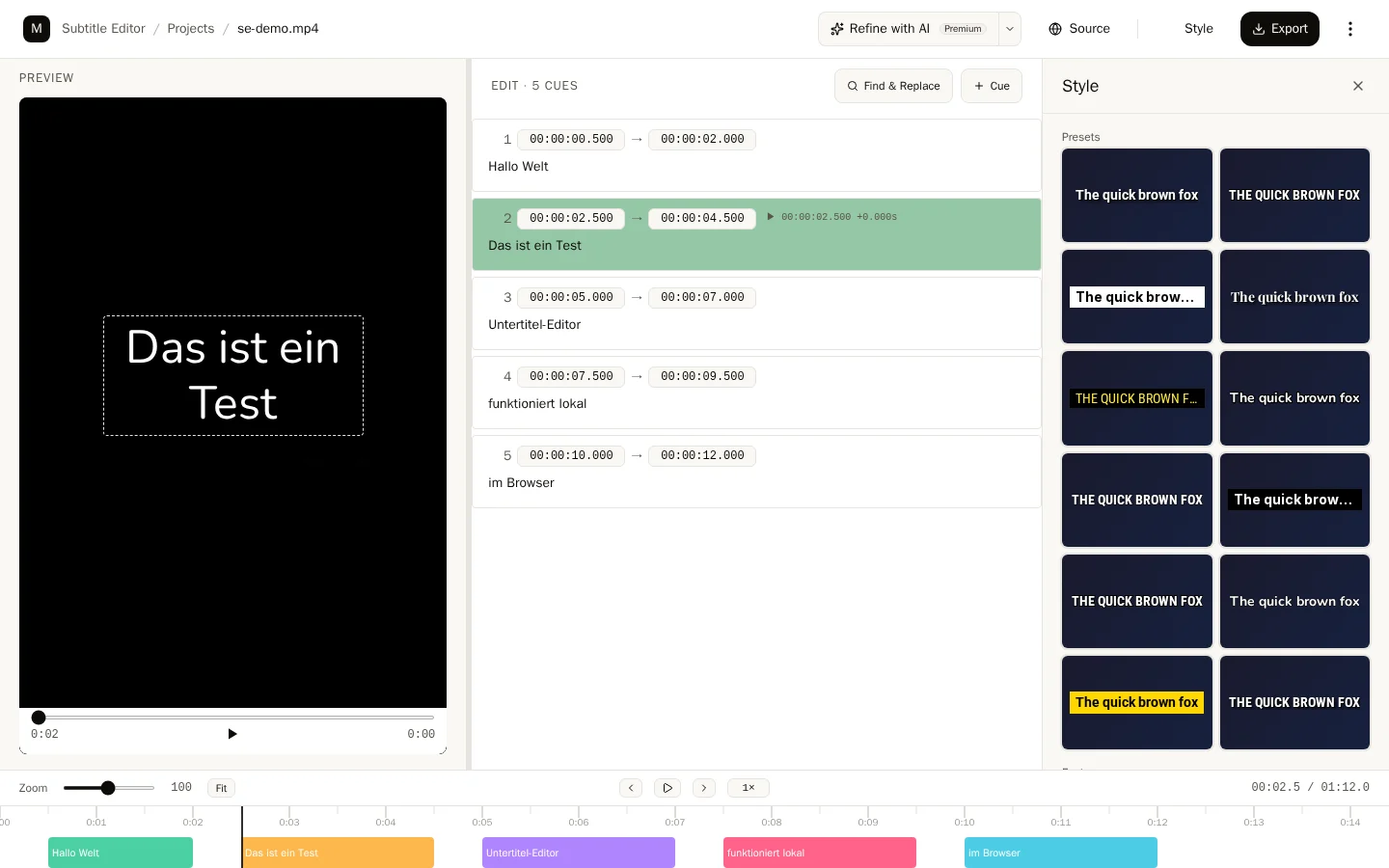
The style panel: the result shows on the video at once, and burn-in comes out the same.
What reaches a server
- The video goes nowhere. It opens from disk and is burned in inside the browser, and the project is stored in this device's browser.
- For transcription — only the audio track: Deepgram, on a server in the EU.
- For AI editing and translation — only the text of the cues: Vertex AI in the EU.
Pricing
- Free, no account — the whole manual editor: timing, text, style, SRT and VTT, burn-in.
- Pro — €5.99/month billed yearly (€7.99 monthly): transcription, AI editing and translation — and everything Pro unlocks in Dictation. Transcription uses the same minutes as dictation: up to 10 hours a month, up to 2 hours during the trial. Need more in a month: +10 hours for €7.99 until the month ends, for dictation and transcription alike, no subscription. The first 7 days are free, no card.
Open the video that is waiting for subtitles
Editing, styling and burn-in are free, no account needed. Subtitles from speech, AI editing and translation are part of Pro — the first 7 days are free, no card.
Open Editor